> ## Documentation Index
> Fetch the complete documentation index at: https://docs.videngineer.com/llms.txt
> Use this file to discover all available pages before exploring further.
# Recreation
> Scene-by-scene prompts for your image and video tools, plus per-cut director recipes — the layer that turns analysis into your build.
Recreation answers: **how do I build my version?** Two surfaces feed it: scene-by-scene prompts generated for the whole video, and per-cut recipes generated for individual signature cuts. Both describe *shot types and techniques* in generative terms — reference material for building your own footage, never instructions to copy anyone's.
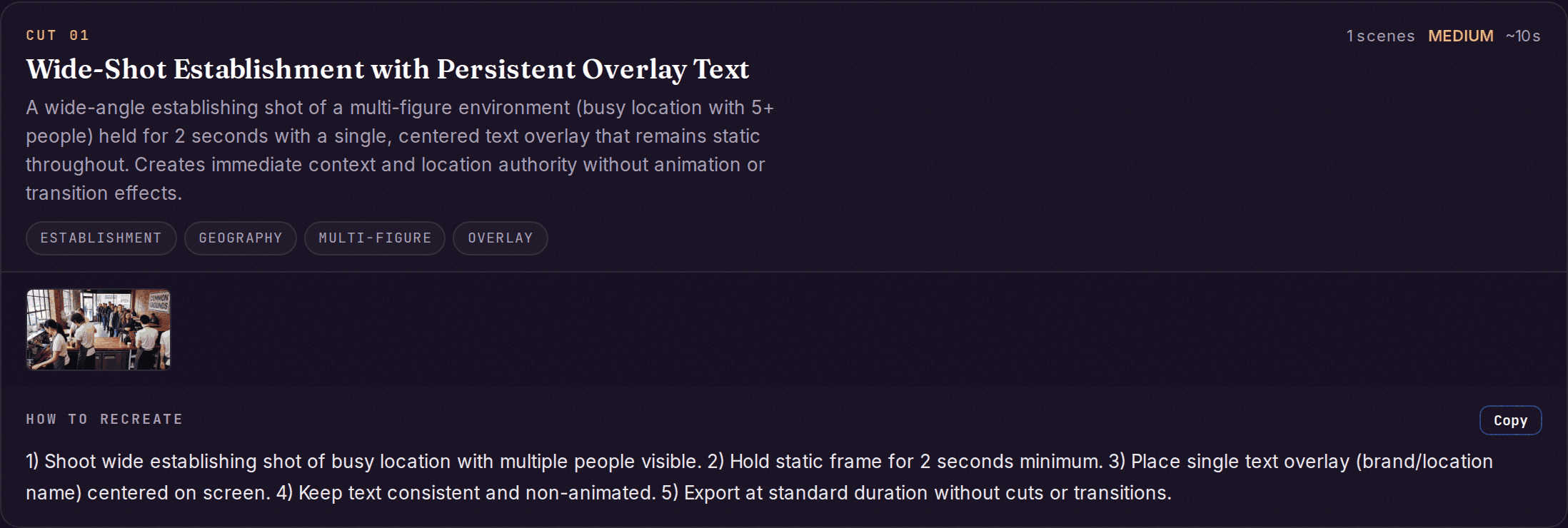 *Live example: [Nextiva — B2B SaaS ad teardown](https://videngineer.com/teardowns/ads/nextiva-b2b-saas-ad-teardown/), Signature cuts section.*
## Scene prompts
Every analysis generates prompts for up to 30 scenes. Each entry:
| Field | What it holds |
| ------------------------------------------------- | -------------------------------------------------------------------------------------------------------- |
| `scene_number` / `timestamp` / `duration_seconds` | Which scene and how long it runs |
| `subject` | What's shown |
| `image_prompt` | A detailed (50+ word) prompt for an image model — lighting, mood, palette, camera angle, subject details |
| `video_prompt` | A detailed prompt for a video model, sized for a 4–6 second clip |
| `camera_movement` | Pan left, zoom in, static… — the motion direction for animation tools |
| `style_notes` | Art style, lighting, color palette — the consistency anchor across scenes |
For where to paste each field — image models, video models, and tool-specific flags — see the [Recreation prompts guide](/scriptwriters/recreation-prompts).
## Per-cut recipes
Each signature cut in [The Cuts](/layers/cuts) can produce a deeper recipe on demand:
| Field | What it holds |
| -------------------------------------------------------------- | ------------------------------------------------------------------------------------------------------------ |
| `recreation_prompts.group_prompt` | One prompt for the whole technique |
| `recreation_prompts.per_frame` | Frame-level entries: `recreation_prompt`, `camera` (angle, motion), `transition_to_next` (cut / zoom / fade) |
| `directors_brief.how_they_did_it` | Step-by-step: camera positions, staging, lighting, animation approach, timing |
| `directors_brief.agent_instructions` | The same recipe phrased for an AI agent or production pipeline |
| `directors_brief.use_cases` / `difficulty` / `animation_notes` | Where the technique fits, how hard it is, and its motion patterns |
From the app, the whole set exports as a **Recipe `.md`** (agent-readable) or a **ZIP of every cut**.
## The sound half
Visual prompts are half the rebuild. The [Sound layer](/layers/sound-layer) produces the matching `recreation_recipe` — genre, BPM range, SFX palette, and voice style — so your version sounds like it belongs in the same league, not just looks like it.
## What to do with it
* **You don't need every scene.** Most videos resolve to 15–25 scenes; the hook shot, the proof moment, and the close usually carry the weight. Five to eight generated scenes is enough for a 30–60 second video.
* **Keep `style_notes` constant across your generations.** Style drift between scenes reads as low-effort production faster than any single weak frame does.
* **Swap the subject, keep the shot.** "Close-up of hands on a keyboard" is a shot type — put *your* product in it. The prompts describe technique so the content can be entirely yours.
* **Hand the recipe to your pipeline.** The `agent_instructions` and the Recipe `.md` export are written to be consumed by an agent or production pipeline end-to-end — see [Use it with your AI](/for-your-agent).
## Related layers
The real shots these recipes are derived from.
Character and location descriptions to reuse inside your prompts.
The audio recipe that completes the rebuild.
Tool-by-tool usage: which field goes where.
*Live example: [Nextiva — B2B SaaS ad teardown](https://videngineer.com/teardowns/ads/nextiva-b2b-saas-ad-teardown/), Signature cuts section.*
## Scene prompts
Every analysis generates prompts for up to 30 scenes. Each entry:
| Field | What it holds |
| ------------------------------------------------- | -------------------------------------------------------------------------------------------------------- |
| `scene_number` / `timestamp` / `duration_seconds` | Which scene and how long it runs |
| `subject` | What's shown |
| `image_prompt` | A detailed (50+ word) prompt for an image model — lighting, mood, palette, camera angle, subject details |
| `video_prompt` | A detailed prompt for a video model, sized for a 4–6 second clip |
| `camera_movement` | Pan left, zoom in, static… — the motion direction for animation tools |
| `style_notes` | Art style, lighting, color palette — the consistency anchor across scenes |
For where to paste each field — image models, video models, and tool-specific flags — see the [Recreation prompts guide](/scriptwriters/recreation-prompts).
## Per-cut recipes
Each signature cut in [The Cuts](/layers/cuts) can produce a deeper recipe on demand:
| Field | What it holds |
| -------------------------------------------------------------- | ------------------------------------------------------------------------------------------------------------ |
| `recreation_prompts.group_prompt` | One prompt for the whole technique |
| `recreation_prompts.per_frame` | Frame-level entries: `recreation_prompt`, `camera` (angle, motion), `transition_to_next` (cut / zoom / fade) |
| `directors_brief.how_they_did_it` | Step-by-step: camera positions, staging, lighting, animation approach, timing |
| `directors_brief.agent_instructions` | The same recipe phrased for an AI agent or production pipeline |
| `directors_brief.use_cases` / `difficulty` / `animation_notes` | Where the technique fits, how hard it is, and its motion patterns |
From the app, the whole set exports as a **Recipe `.md`** (agent-readable) or a **ZIP of every cut**.
## The sound half
Visual prompts are half the rebuild. The [Sound layer](/layers/sound-layer) produces the matching `recreation_recipe` — genre, BPM range, SFX palette, and voice style — so your version sounds like it belongs in the same league, not just looks like it.
## What to do with it
* **You don't need every scene.** Most videos resolve to 15–25 scenes; the hook shot, the proof moment, and the close usually carry the weight. Five to eight generated scenes is enough for a 30–60 second video.
* **Keep `style_notes` constant across your generations.** Style drift between scenes reads as low-effort production faster than any single weak frame does.
* **Swap the subject, keep the shot.** "Close-up of hands on a keyboard" is a shot type — put *your* product in it. The prompts describe technique so the content can be entirely yours.
* **Hand the recipe to your pipeline.** The `agent_instructions` and the Recipe `.md` export are written to be consumed by an agent or production pipeline end-to-end — see [Use it with your AI](/for-your-agent).
## Related layers
The real shots these recipes are derived from.
Character and location descriptions to reuse inside your prompts.
The audio recipe that completes the rebuild.
Tool-by-tool usage: which field goes where.