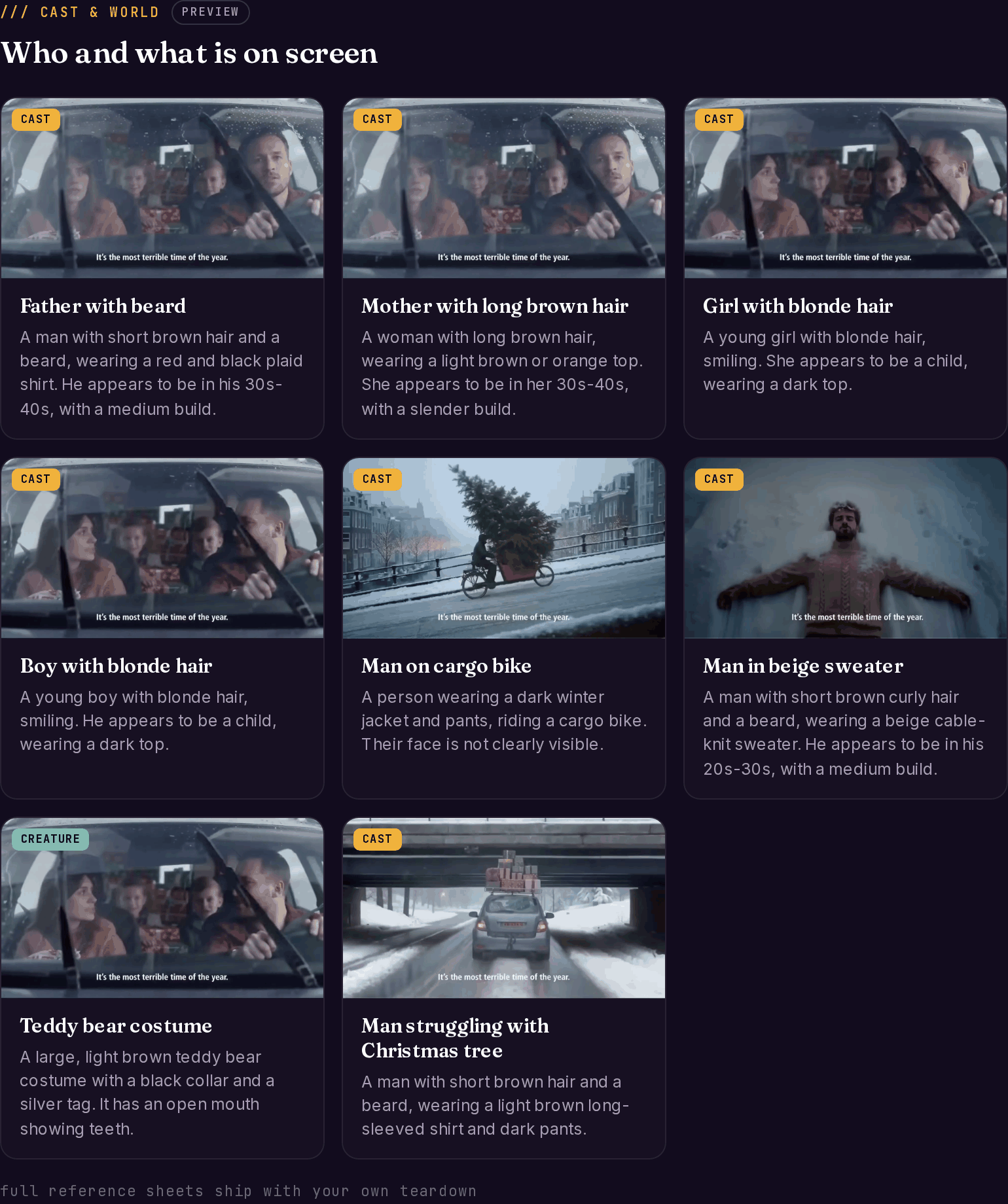
Cast & World answers: who and what is on screen? The engine identifies every recurring character, environment, and key object across the video and writes each one up as a reference sheet — with descriptions specific enough to hand to an image model, and a best_frame chosen to show that entity clearly and alone.
Cast grid showing characters like 'Father with beard' and 'Mother with long brown hair' with reference frames and detailed descriptions
Live example: McDonald’s — AI-generated Christmas ad teardown, Cast & World tab.

How entities are clustered

The same character across different expressions, poses, and angles is merged into one entry — identity is judged by body shape, clothing, hair, and design, not by expression. So “girl looking scared” and “girl smiling” become one character with all her frame appearances combined. Each entity’s best_frame prefers a clean solo shot (close-up or medium), never a group wide.

Field reference

characters

FieldWhat it holds
nameCore identity, descriptive — “Little girl in polka dot dress”, “Father with beard”
typehuman | animated | voiceover
descriptionA detailed visual description written for AI image generation — clothing, hair, build, accessories, distinguishing marks
rolemain | supporting | background
screen_time_pctShare of the video this character is on screen
appearances / frames / best_frameEvery frame they appear in, plus the cleanest reference frame

environments

FieldWhat it holds
nameLocation name — “Tuscan vineyard aerial”, “Dark warehouse interior”
typeindoor | outdoor | digital | abstract
descriptionRecreation-ready: lighting, time of day, weather
moode.g. epic | warm | dramatic | clean | corporate
appearances / frames / best_frameWhere it appears, plus the most representative shot

objects

FieldWhat it holds
name / categoryproduct | vehicle | prop | text | graphic | animal
significancehigh | medium | low
descriptionBrief visual description, brand noted when visible
appearances / best_frameFrequency and the best reference shot

Video-level fields

  • visual_style — one sentence on the overall look: lighting, color grade, camera work
  • color_palette — five hex codes
  • production_notes — what you’d need to recreate this world: required assets, lighting setup, camera angles

One-click isolation — transparent PNG cutouts

Any character, prop, or location reference frame can be isolated with one click: the background is removed and you get a transparent PNG cutout, stored with the teardown and ready for mood boards, style frames, or compositing tests. Each cutout costs 1 credit, charged only after the file is successfully stored — and reopening a cutout you’ve already made never charges again.

What to do with it

  • Cast from the description, not the footage. The character descriptions are written as casting/generation specs — same archetype, your own person or generated character.
  • Count the world. Three environments and five props is a very different production than one desk and a laptop. The entity list is your scope estimate.
  • Use screen_time_pct to find the real protagonist. In ads, the entity with the most screen time is often the emotion carrier, not the product — that’s a structural choice worth noticing.
  • Pull cutouts into your style frames to test compositions before you shoot or generate anything.

The Cuts

The shots these entities appear in, as playable clips.

Recreation

Prompts that reuse these descriptions to build your version.

The Blueprint

The visual stats around this cast — shot mix, palette, pacing.

What it's selling

What all these people and props are actually doing for the message.