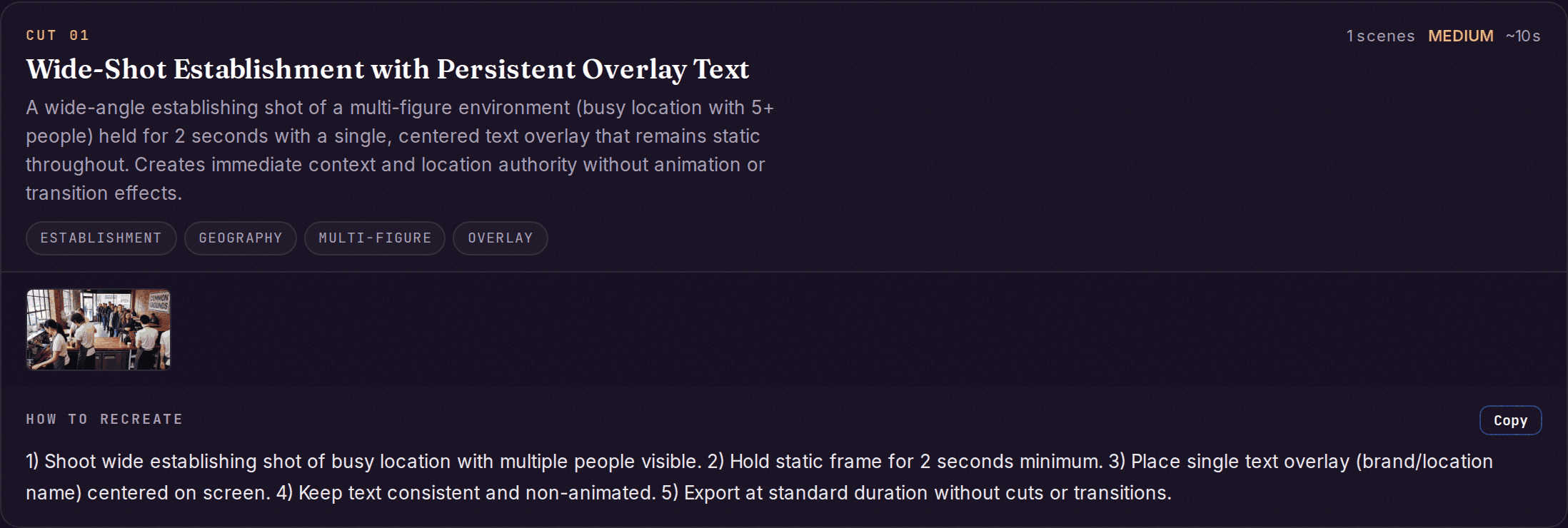
Recreation answers: how do I build my version? Two surfaces feed it: scene-by-scene prompts generated for the whole video, and per-cut recipes generated for individual signature cuts. Both describe shot types and techniques in generative terms — reference material for building your own footage, never instructions to copy anyone’s.
Cut card showing 'Wide-Shot Establishment with Persistent Overlay Text' with technique tags and a step-by-step how-to-recreate guide
Live example: Nextiva — B2B SaaS ad teardown, Signature cuts section.

Scene prompts

Every analysis generates prompts for up to 30 scenes. Each entry:
FieldWhat it holds
scene_number / timestamp / duration_secondsWhich scene and how long it runs
subjectWhat’s shown
image_promptA detailed (50+ word) prompt for an image model — lighting, mood, palette, camera angle, subject details
video_promptA detailed prompt for a video model, sized for a 4–6 second clip
camera_movementPan left, zoom in, static… — the motion direction for animation tools
style_notesArt style, lighting, color palette — the consistency anchor across scenes
For where to paste each field — image models, video models, and tool-specific flags — see the Recreation prompts guide.

Per-cut recipes

Each signature cut in The Cuts can produce a deeper recipe on demand:
FieldWhat it holds
recreation_prompts.group_promptOne prompt for the whole technique
recreation_prompts.per_frameFrame-level entries: recreation_prompt, camera (angle, motion), transition_to_next (cut / zoom / fade)
directors_brief.how_they_did_itStep-by-step: camera positions, staging, lighting, animation approach, timing
directors_brief.agent_instructionsThe same recipe phrased for an AI agent or production pipeline
directors_brief.use_cases / difficulty / animation_notesWhere the technique fits, how hard it is, and its motion patterns
From the app, the whole set exports as a Recipe .md (agent-readable) or a ZIP of every cut.

The sound half

Visual prompts are half the rebuild. The Sound layer produces the matching recreation_recipe — genre, BPM range, SFX palette, and voice style — so your version sounds like it belongs in the same league, not just looks like it.

What to do with it

  • You don’t need every scene. Most videos resolve to 15–25 scenes; the hook shot, the proof moment, and the close usually carry the weight. Five to eight generated scenes is enough for a 30–60 second video.
  • Keep style_notes constant across your generations. Style drift between scenes reads as low-effort production faster than any single weak frame does.
  • Swap the subject, keep the shot. “Close-up of hands on a keyboard” is a shot type — put your product in it. The prompts describe technique so the content can be entirely yours.
  • Hand the recipe to your pipeline. The agent_instructions and the Recipe .md export are written to be consumed by an agent or production pipeline end-to-end — see Use it with your AI.

The Cuts

The real shots these recipes are derived from.

Cast

Character and location descriptions to reuse inside your prompts.

Sound layer

The audio recipe that completes the rebuild.

Recreation prompts guide

Tool-by-tool usage: which field goes where.